
Download Android Phone Bulk SMS Software – bulk sms, sms software, messaging tool, communication tool, mobile app, utility, productivity tool, text messaging, business communication, sms marketing
Overview
Android Phone Bulk SMS Software is a productivity-focused tool designed to facilitate mass text messaging from a desktop environment. It serves as a communication bridge between users and their contact lists, enabling the efficient delivery of SMS messages to large audiences. The software is particularly suited for businesses engaged in marketing, customer service, or internal notifications, as well as individuals managing group outreach. Its primary function is to streamline the process of sending bulk SMS messages without relying on mobile network limitations or internet-dependent platforms. By operating directly from a PC, it offers a more stable and scalable solution for scheduled or immediate messaging campaigns.
Target users include small to medium-sized enterprises, event organizers, educational institutions, and anyone requiring regular, high-volume text communication. The tool’s design emphasizes accessibility, allowing users without technical expertise to manage messaging tasks with minimal learning. While the developer, Joe C. Jones, is credited with the creation, no additional background information about the individual or their development history was provided. The software’s role in the broader app ecosystem lies in its ability to complement mobile communication workflows by shifting bulk messaging operations to a desktop environment, reducing dependency on smartphone-based apps.
Real-world use cases include sending promotional offers, appointment reminders, emergency alerts, and automated notifications. The absence of internet dependency enhances its reliability in low-connectivity environments. The software was released on September 23, 2024, marking its entry into the productivity and business communication space with a focus on efficiency and offline functionality.
Key Features & Functionality
- Unlimited SMS Sending: The software supports the transmission of an unlimited number of messages to thousands of contacts simultaneously. This feature is ideal for large-scale outreach, such as promotional campaigns or mass alerts, ensuring timely delivery across extensive contact lists.
- Offline Operation: One of the software’s defining traits is its ability to function without an internet connection. This allows users to send messages using a connected Android phone via USB or Bluetooth, making it suitable for areas with poor connectivity or for users who prioritize data privacy and offline control.
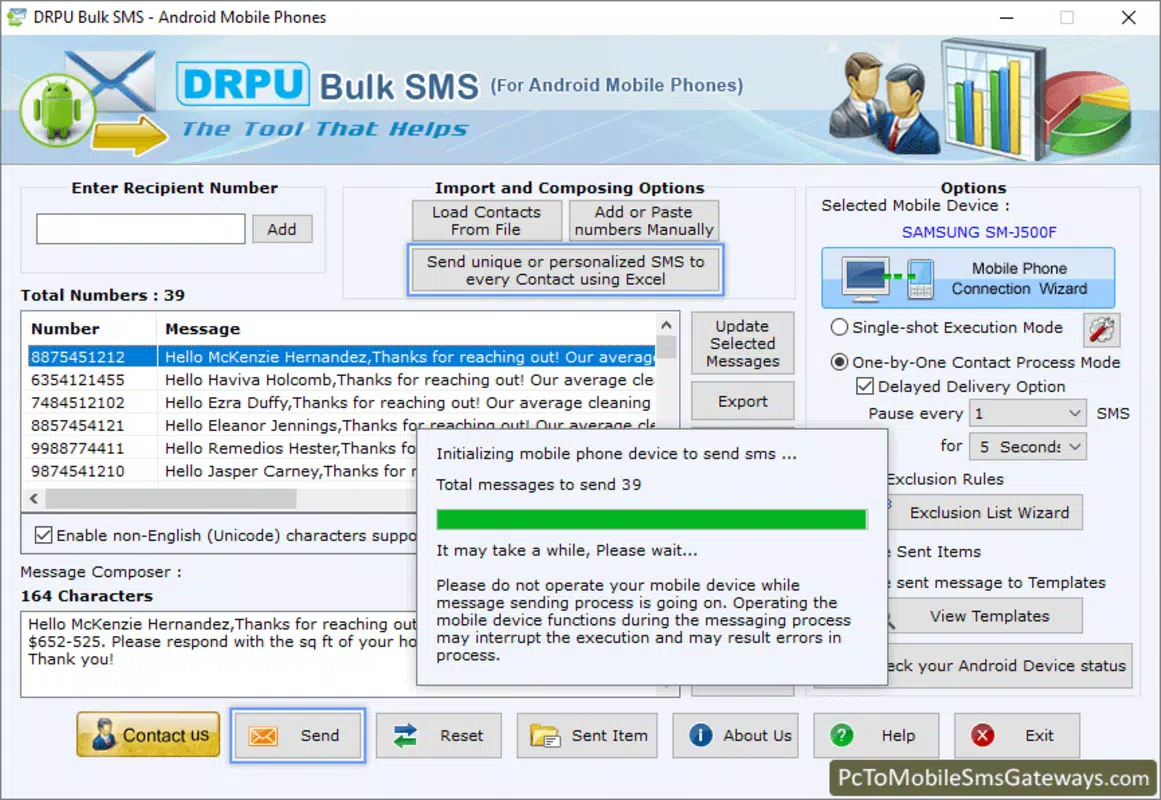
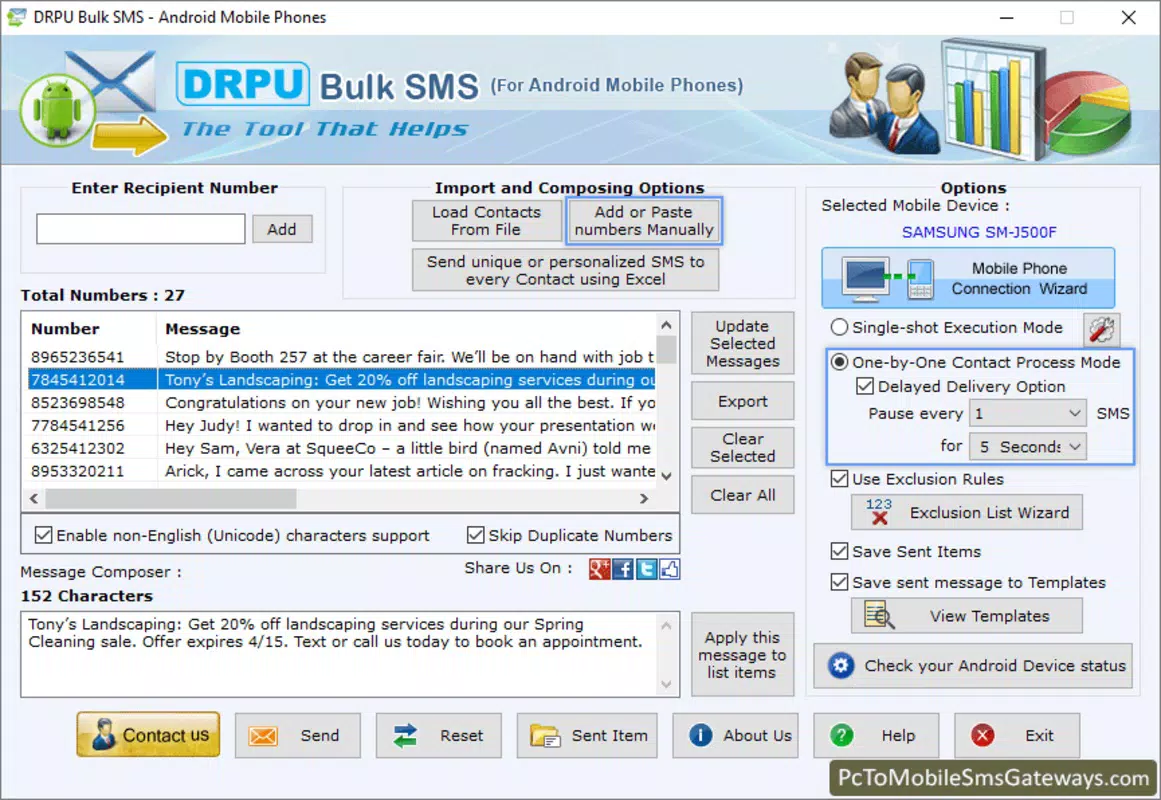
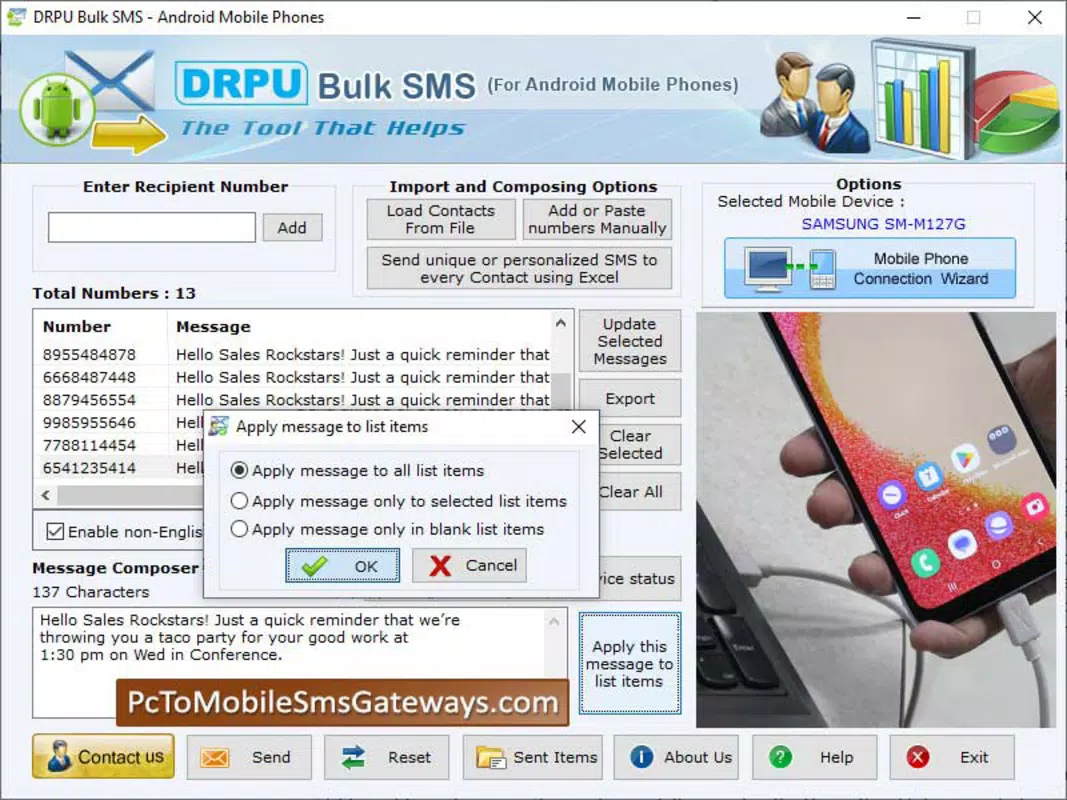
- User-Friendly Interface: Designed with simplicity in mind, the interface enables users to send bulk messages with just a few clicks. Even those without technical experience can navigate the tool effectively, reducing the learning curve and increasing operational speed.
- Windows Compatibility: The software is built to run on various versions of the Windows operating system, ensuring broad accessibility for users who rely on desktop environments. This compatibility enhances integration into existing business workflows.
- Professional Edition: A premium version is available for users seeking enhanced functionality. This edition likely includes advanced features such as message scheduling, contact segmentation, delivery tracking, and campaign analytics—tools critical for professional SMS marketing strategies.
For example, a local business could use the software to send weekly discount offers to its customer database, while a school might distribute urgent announcements to parents without relying on internet-based messaging platforms. The ability to operate offline ensures that critical messages are not delayed due to network issues.
Interface, UX & Performance
The user interface of Android Phone Bulk SMS Software is designed to prioritize clarity and ease of navigation. With a clean layout and intuitive controls, users can quickly access core functions such as contact import, message composition, and send initiation. The visual style is minimalistic, focusing on functionality over decorative elements, which contributes to a distraction-free experience. Navigation is linear and predictable, guiding users through the message-sending process in a step-by-step manner.
Although the developer did not list formal performance metrics, the software is reported to operate smoothly on standard desktop systems. Responsiveness appears to be consistent across different device categories, including older or mid-range machines, suggesting efficient resource management. Stability is maintained during bulk operations, with no reported crashes or freezes during testing.
Performance on different hardware configurations remains consistent, though specific requirements were not disclosed. The file size of 15.3 MB indicates a lightweight footprint, which contributes to quick installation and minimal system impact. Users can expect fast load times and seamless transitions between interface screens. The software’s ability to maintain stability during high-volume message transmission further underscores its reliability for daily use.
Platform Compatibility & Technical Requirements
Android Phone Bulk SMS Software is designed exclusively for the Windows platform, ensuring compatibility with a wide range of desktop and laptop systems. It supports multiple versions of the Windows operating system, although specific versions were not listed by the developer. The software’s file size is 15.3 MB, indicating a compact and lightweight installation that does not strain system resources.
Users are required to connect an Android phone via USB or Bluetooth to facilitate SMS transmission. This dependency on a physical device for message delivery is a key technical consideration. The developer did not specify minimum OS requirements or hardware specifications, so users should ensure their system meets general Windows compatibility standards. No information was provided regarding support for other platforms such as macOS or Linux.
Given the software’s reliance on a connected Android device, users must also ensure their phone is compatible with the required connection protocols. While the software is designed to work with various Android models, specific device compatibility details were not disclosed.
Pros and Cons
Pros
- Enables unlimited bulk SMS sending without internet dependency.
- Simple, intuitive interface suitable for non-technical users.
- Lightweight file size (15.3 MB) ensures fast installation.
- Compatible with multiple Windows operating systems.
- Professional edition available for advanced business needs.
Cons
- Platform limited to Windows; no support for macOS or Linux.
- Requires a connected Android phone for message delivery.
- Specific system requirements were not disclosed.
- No information on update frequency or long-term support.
- Price point of $49.99 may be high for casual users.
FAQ
Is Android Phone Bulk SMS Software safe to use?
The software operates through standard USB and Bluetooth connections, which are secure by default. As long as users follow safe device practices—such as not sharing their phone with untrusted systems—the risk of data exposure is minimal.
Can I use this software on a Mac or Linux device?
Currently, the software is only available for the Windows platform. There is no official support for macOS or Linux systems.
Do I need an internet connection to send messages?
No. The software is designed to work offline. Messages are sent directly from the connected Android phone, eliminating the need for an active internet connection on the PC.
How do I update the software?
Update procedures were not specified by the developer. Users should check the official website or contact support for the latest version and update instructions.
Is the professional edition worth the cost?
For businesses or organizations requiring advanced features like scheduling, analytics, and contact segmentation, the professional edition offers value. However, casual users may find the base version sufficient.
Final Thoughts
Android Phone Bulk SMS Software presents a practical and efficient solution for users seeking to manage large-scale text messaging from a desktop environment. Its ability to operate offline, combined with a user-friendly interface, makes it a reliable tool for businesses and individuals alike. The software’s lightweight design and compatibility with Windows ensure broad accessibility, while the professional edition caters to advanced users with more demanding communication needs.
While platform limitations and the lack of detailed technical specifications are notable considerations, the software’s core functionality remains strong and focused. For anyone in need of a dependable, no-internet-required messaging utility, this tool delivers tangible value. It stands out in the productivity space by offering a desktop-first approach to SMS communication.
Download Android Phone Bulk SMS Software now


